
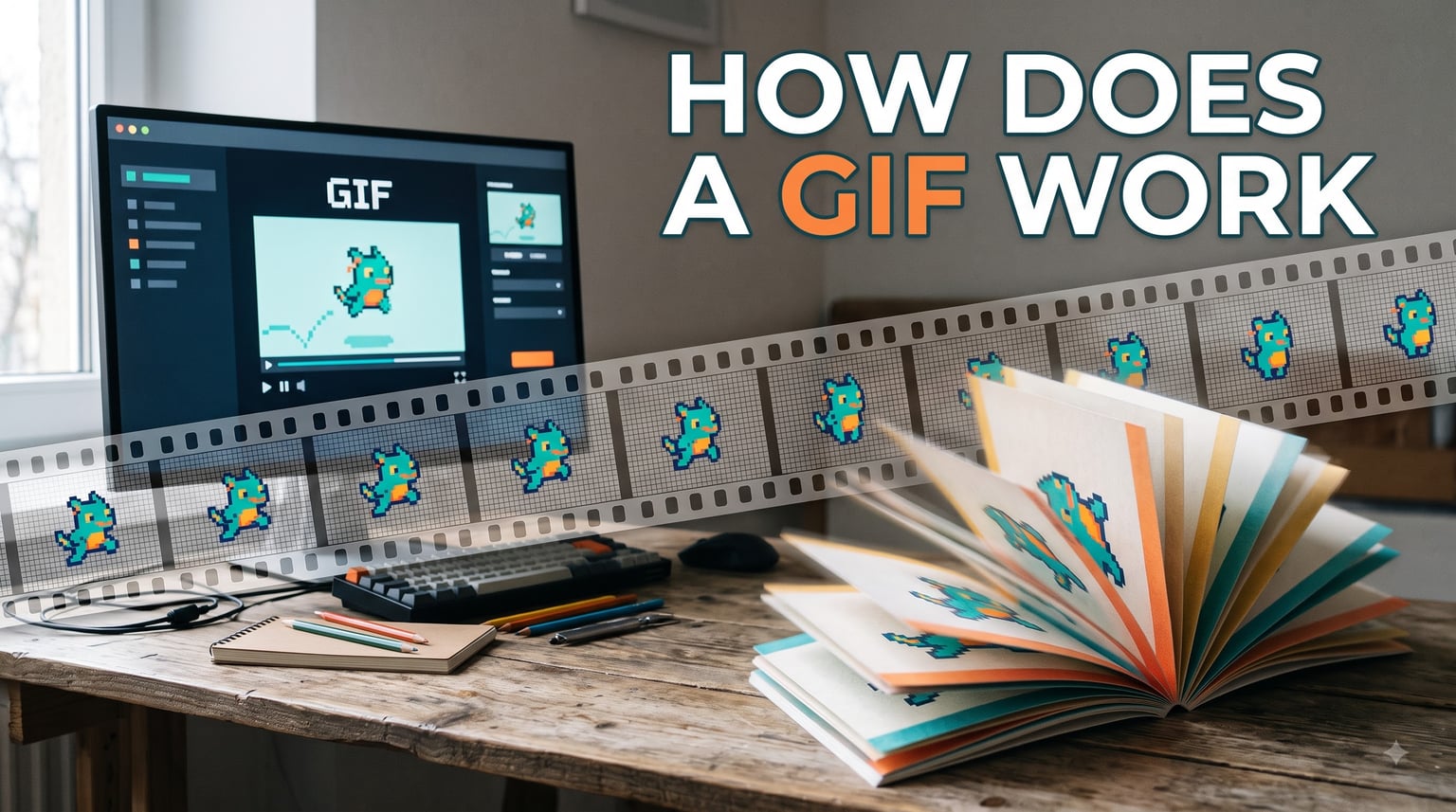
You have probably sent or received dozens of them today. They show up in text messages, Slack channels, social media feeds, and marketing emails. I am talking about GIFs — those short, looping, soundless animations that have become a universal language of the internet.
But have you ever stopped to ask: how does a GIF work under the hood? What makes a single image file suddenly start moving on its own, playing the same two-second clip over and over?
The answer is surprisingly elegant. A GIF is not a video at all. It is a cleverly structured image file that packs multiple frames into one container, then tells your screen how fast to flip through them. Think of it as a digital flipbook that your browser reads automatically.
In this guide, I will walk you through exactly how GIFs function — from the file structure hidden inside every .gif file, to the 256-color limit that defines their look, to the compression algorithm that keeps them small. Whether you are a curious internet user or a developer building animated content, you will understand the full mechanics by the end.
Table of Contents
- What Is a GIF? (Graphics Interchange Format Explained)
- How Does a GIF Work? The Technical Breakdown
- The GIF File Structure: What’s Inside the File
- How GIF Animation Works: Frames, Timing, and Looping
- The 256-Color Limit: Why GIFs Look Different
- How LZW Compression Works in GIFs
- The History of GIF: From CompuServe to Internet Culture
- GIF vs Modern Alternatives: WebP, AVIF, and GIFV
- Tips for Creating and Optimizing GIFs
- FAQs
- Conclusion
What Is a GIF? (Graphics Interchange Format Explained)
A GIF (Graphics Interchange Format) is a bitmap image format developed in 1987 by Steve Wilhite at CompuServe. It supports both static images and simple animations, all stored within a single file with the .gif extension.
Here is what makes GIFs unique among image formats:
Lossless compression — the GIF uses LZW compression, which reduces file size without throwing away pixel data
Up to 256 colors per frame — GIFs use an indexed color palette rather than full RGB color
Multiple frames in one file — each frame can have its own delay time and positioning
Transparency support — one color in the palette can be designated as transparent (1-bit alpha, meaning a pixel is either fully transparent or fully opaque)
Universal browser support — every major browser and operating system can display GIFs natively without plugins
Not all GIFs are animated. A static GIF is simply a single-frame image compressed with LZW encoding. The format became famous for animation because it can stack multiple images in one file and play them in sequence.
So when someone asks “what does GIF stand for,” the answer is Graphics Interchange Format. And when they ask “what does a GIF mean” in casual conversation, they are usually referring to a short, looping animation used as a reaction, meme, or demonstration.
How Does a GIF Work? The Technical Breakdown
At its core, a GIF works by storing a sequence of image frames inside a single file. When a browser or image viewer opens that file, it reads each frame in order and displays them at a speed controlled by timing metadata embedded in the file.
The simplest way to understand it: imagine a flipbook. Each page contains a slightly different drawing. When you flip the pages rapidly, the drawings appear to move. A GIF works the exact same way — except your computer does the flipping.
Here is the step-by-step process of what happens when a GIF plays:
Your browser opens the .gif file and reads the header to identify it as a GIF
It reads the Logical Screen Descriptor, which defines the canvas width and height
It loads the Global Color Table (the palette of up to 256 colors)
It reads the first Image Descriptor and displays that frame
A Graphic Control Extension tells it how long to wait (the frame delay) before showing the next frame
It reads the next frame, replaces or overlays the previous one, and waits again
This continues until all frames have been displayed, then a looping flag tells the browser to start over
The cycle repeats until you scroll away or close the page
That entire sequence happens in milliseconds. Your browser does all of this automatically — no play button required, no user interaction needed. That is why GIFs play instantly and loop forever.
The GIF File Structure: What’s Inside the File
Most articles explain GIFs at a surface level and stop there. But if you really want to understand how a GIF works, you need to look inside the file itself. The internal structure is well-organized and follows a strict sequence of blocks.
Here is what every animated GIF file contains, in order:
1. Header (6 bytes)
The file starts with a 6-byte signature that identifies the format. It reads either “GIF87a” (the original 1987 version) or “GIF89a” (the updated 1989 version that added animation support). This tells the browser how to interpret everything that follows.
2. Logical Screen Descriptor (7 bytes)
This block defines the overall canvas — the width and height of the display area, the color resolution, whether the image is sorted, and the size of the Global Color Table. Think of it as the stage dimensions before the actors appear.
3. Global Color Table
This is the indexed color palette — a lookup table of up to 256 colors. Each color is defined as an RGB triplet (red, green, blue values). Every pixel in every frame references one of these colors by its index number, not by storing full RGB data. This is what keeps GIF files compact.
A GIF can also include a Local Color Table for individual frames, allowing each frame to use a different set of up to 256 colors. However, most GIFs rely on a single global palette for simplicity.
4. Image Descriptors and Frame Data
Each frame in the GIF has its own Image Descriptor that specifies where the frame sits on the canvas, its dimensions, and whether it uses a local color table. After the descriptor comes the actual pixel data for that frame, compressed using LZW encoding.
5. Graphic Control Extensions
Introduced in GIF89a, these extensions contain the metadata that makes animation possible. Each one stores:
Frame delay — how long to display the frame, measured in hundredths of a second
Disposal method — what to do with the current frame before showing the next (leave it, restore background, or restore previous frame)
Transparency flag — whether one color should be treated as transparent
Transparent color index — which palette entry is transparent
6. Netscape Looping Extension
This is a special application extension that tells the browser how many times to loop the animation. Most GIFs set this to zero, which means loop infinitely. This single block is the reason GIFs play forever by default — without it, the animation would play exactly once and stop.
Many articles skip this detail entirely, but it is one of the most common questions people ask: why do GIFs loop infinitely? The answer is this small extension block quietly instructing the browser to never stop.
7. Trailer (1 byte)
The file ends with a single byte — the value 0x3B (a semicolon character). This tells the browser that the GIF is complete and there is no more data to read.
How GIF Animation Works: Frames, Timing, and Looping
Animation is the feature that made GIFs famous. Understanding how it works means understanding frame delays, disposal methods, and the looping behavior built into the file.
Frame Delays Control Playback Speed
Each frame in an animated GIF has a delay value stored in hundredths of a second. A delay of 10 means the frame displays for 10/100ths of a second (one-tenth of a second), which works out to 10 frames per second. A delay of 20 means 5 frames per second.
This timing is not tied to a clock. Instead, the browser reads the delay value and waits that long before advancing. Different frames can have different delays, which means a GIF can speed up, slow down, or pause on specific frames for dramatic effect.
One common gotcha: a frame delay of zero does not mean instant playback. Most browsers interpret a zero delay as 10/100ths of a second for compatibility reasons. If you want a fast GIF, set the delay to 2 (which gives you 50 frames per second).
Disposal Methods Determine How Frames Stack
When one frame ends and another begins, the browser needs instructions on what to do with the old frame. This is the disposal method, and there are three common values:
Unspecified / Do not dispose — the new frame is drawn on top of the previous one, leaving old pixels in place wherever the new frame is transparent
Restore to background — the area is cleared to the background color before the new frame appears
Restore to previous — the frame reverts to whatever was shown two frames ago before drawing the new content
This is how GIFs create partial animations. Instead of redrawing the entire canvas for every frame, a GIF can update only the pixels that changed, leaving the rest untouched. This technique dramatically reduces file size.
Why GIFs Loop Infinitely by Default
The Netscape Application Extension (named after Netscape Navigator, the browser that introduced it) contains a loop count. Setting this value to zero tells the browser to repeat the animation forever. Setting it to 3, for example, would play the animation three times and then freeze on the last frame.
Most GIF creation tools default to zero, which is why nearly every GIF you encounter loops endlessly. This was originally a design choice for early web loading indicators and decorative animations. It became so standard that infinite looping is now the expected behavior for the format.
The 256-Color Limit: Why GIFs Look Different
If you have ever noticed that GIFs look grainy, washed out, or slightly off compared to a regular photo, the 256-color limit is the reason. This is one of the most defining constraints of the format.
Here is how it works: every GIF frame draws its colors from an indexed palette of at most 256 entries. A full-color photograph might contain millions of distinct colors, but the GIF format forces all of them into just 256 slots. The software creating the GIF has to find the 256 colors that best represent the image and map every other pixel to the closest available match.
This process is called color quantization. When the original image contains colors that are not in the 256-color palette, the software uses a technique called dithering — scattering pixels of different palette colors next to each other to simulate an intermediate shade. Dithering is what creates the characteristic speckled, grainy texture you see in photographic GIFs.
The 256-color limit made sense in 1987, when most computer displays could only show 256 colors at a time. Today, with displays capable of billions of colors, the limit is a significant drawback. But it also gives GIFs their recognizable retro aesthetic — a look that has become part of their cultural appeal.
The color limit also affects transparency. GIF supports only 1-bit alpha transparency, meaning a pixel is either fully visible or fully invisible. There is no partial transparency, which is why GIF edges can look jagged compared to formats like PNG that support smooth alpha channels.
How LZW Compression Works in GIFs
Every GIF file uses a compression method called LZW (Lempel-Ziv-Welch), named after the three computer scientists who developed the underlying algorithm. LZW is what allows GIFs to store multiple frames in a relatively small file without losing any image data.
LZW is a lossless compression algorithm. That means when the GIF is created, no pixel information is discarded. When the file is decompressed for display, every pixel is reconstructed exactly as it was. This is different from JPEG compression, which permanently discards data to achieve smaller file sizes.
Here is a simplified analogy for how LZW works: imagine you are writing a long letter where certain words appear repeatedly. Instead of writing “the” hundreds of times, you could assign it a number (say, code 12) and just write 12 each time. The more repetition there is, the more space you save.
LZW does this with byte sequences in pixel data. It scans the image data and builds a dictionary of repeating patterns. The first time it sees a pattern, it adds it to the dictionary. The next time that pattern appears, it replaces the entire pattern with a short code that references the dictionary entry.
This is why GIFs are efficient for images with large areas of solid color, flat illustrations, and simple graphics. These images contain lots of repeated color sequences that LZW can compress aggressively. Photographic images with subtle gradients and noise do not compress as well, which is why photographic GIFs tend to have large file sizes.
One important note: LZW compression is the reason GIFs can sometimes load slowly despite being low quality. The browser has to decompress every frame in real time, which takes processing power. A modern video format like MP4 uses hardware-accelerated decompression, which is far faster and more efficient.
The History of GIF: From CompuServe to Internet Culture
The GIF format was created in June 1987 by Steve Wilhite, a programmer working at CompuServe — one of the earliest major online service providers. CompuServe needed a portable, compressed image format that could work across different computer systems, and GIF was the answer.
The original version, GIF87a, supported only static images. Two years later, in 1989, the format was updated to GIF89a, which added the features that made animation possible: Graphic Control Extensions for timing, transparency, and the application extension framework that later enabled looping.
For most of the 1990s, GIFs were used primarily for web graphics — buttons, icons, banners, and small decorative animations on early websites. The format’s small file size and universal compatibility made it the standard for web imagery at a time when dial-up connections made large images impractical.
In the 2000s, faster internet connections and better image formats like PNG began to replace GIF for static images. But GIFs found a second life as reaction images and memes on platforms like Tumblr, Reddit, and eventually every social media platform. The looping animation format turned out to be perfect for expressing emotions and cultural moments in bite-sized clips.
The Pronunciation Debate: JIF or GIF?
Steve Wilhite himself settled the question: it is pronounced “jif” with a soft G, like the peanut butter brand. He chose the name deliberately as a play on the Jif peanut butter slogan “choosy developers choose GIF.”
Despite the creator’s clear stance, the debate rages on. Many people pronounce it with a hard G (“gif” as in “gift”), arguing that the G stands for “Graphics.” Linguists point out that English pronunciation rules do not consistently favor either side.
Wilhite reiterated his preference at the 2013 Webby Awards, displaying a slide that simply read: “It’s pronounced JIF, not GIF.” The internet collectively shrugged and continued arguing. Both pronunciations are widely accepted in everyday speech.
The Patent Controversy
In 1994, Unisys (the company that held patents on the LZW algorithm) announced it would start enforcing licensing fees on software that used GIF compression. This caused widespread concern in the web development community and led to the creation of PNG (Portable Network Graphics) as a patent-free alternative.
The Unisys patents expired in 2003 and 2004, removing all legal barriers to GIF usage. Today, GIFs are completely free to use without any licensing concerns.
GIF vs Modern Alternatives: WebP, AVIF, and GIFV
The GIF format is nearly 40 years old, and its limitations are well known. Several modern formats have been developed to address the shortcomings of GIF while preserving its strengths.
Here is how GIF compares to the main alternatives:
WebP — developed by Google, supports both lossy and lossless compression, full 24-bit color, and animation. Animated WebP files are typically 60-70% smaller than equivalent GIFs with better color quality.
AVIF — the newest format, based on the AV1 video codec. It offers even better compression than WebP and supports advanced features like 12-bit color depth and HDR. Browser support is growing but not yet universal.
APNG (Animated PNG) — an extension of the PNG format that supports full-color animation with 8-bit transparency. It produces higher quality than GIF but with larger file sizes.
GIFV — not actually a separate format. It is a marketing term used by sites like Imgur that convert GIFs into MP4 video files behind the scenes. The file plays like a GIF but uses far less bandwidth and loads faster.
Despite these alternatives, GIF remains the most universally compatible animated image format. Every browser, every messaging app, and every operating system supports it without question. That level of compatibility is hard to replace, which is why GIFs continue to thrive in 2026.
The reason GIFs often load slower than videos comes down to efficiency. A 5-second GIF might be 5 megabytes, while the same clip as an MP4 video might be 500 kilobytes. Video formats use inter-frame compression (storing only the changes between frames) and hardware-accelerated decoding, while GIFs must decompress every single frame independently using software.
Tips for Creating and Optimizing GIFs
If you want to create your own GIFs, the process is straightforward. Most GIFs are made either by stitching together a series of images or by converting a short video clip. Here are the key tips I have learned for making GIFs that look good and load fast.
Reduce Frame Count
Every additional frame increases the file size. If your GIF has 30 frames, consider whether 15 frames at a slightly faster delay would look almost identical. Cutting frames is the single most effective way to reduce file size.
Limit the Color Palette
Most GIF tools let you choose how many colors to include. Using 128 colors instead of 256 can cut file size significantly with barely noticeable quality loss, especially for simple graphics. For flat illustrations, even 64 colors can look clean.
Crop to the Action
If your GIF has a large background area that never changes, crop the image to focus on the moving part. Smaller dimensions mean fewer pixels per frame, which means a smaller file.
Use Consistent Frame Delays
Mixing very fast and very slow frame delays can create a jerky, uneven look. Unless you are going for a specific effect, keep your frame delays consistent for smooth playback.
Popular GIF Creation Tools
For quick, browser-based GIF creation, tools like Ezgif, GIPHY, and Canva are popular and free. For more control, desktop software like Adobe Photoshop, FFmpeg (command line), and ScreenToGif give you frame-by-frame editing power. Photoshop in particular lets you fine-tune the color palette, frame delays, and dithering settings for professional results.
The “Broken GIF” Phenomenon
One thing forum users frequently ask about is the “broken GIF” — a GIF that appears corrupted, shows partial frames, or flickers strangely. This usually happens when the file has been truncated (cut off before the trailer byte), when a frame uses an invalid color index, or when the disposal method is set incorrectly. Some intentionally broken GIFs exploit format quirks to create glitch-art effects, but most broken GIFs are simply the result of corrupted downloads or bad encoding software.
FAQs
Is GIF free to use?
Yes, GIFs are completely free to use. The patents that once covered the LZW compression algorithm expired in 2003-2004, so there are no longer any licensing fees. You can create, share, and display GIFs without any legal restrictions, though the individual content within a GIF (like copyrighted video clips) may still have usage limitations.
What are the disadvantages of a GIF file?
GIFs have several key limitations: they support a maximum of 256 colors per frame, which makes photographs look grainy; they produce larger file sizes than modern video formats for the same content; they have no audio support; they only support 1-bit transparency (pixels are either fully opaque or fully transparent, no smooth edges); and they load slower than video because frames are decompressed in software rather than using hardware acceleration.
What is a GIF and how do you use it?
A GIF (Graphics Interchange Format) is an image file format that supports both static images and short looping animations. You use GIFs by sharing them in text messages, social media posts, emails, and websites to express emotions, demonstrate products, or add visual interest. They play automatically and loop continuously without requiring the viewer to press play.
How do I get GIFs to work?
GIFs work automatically in all modern browsers and messaging apps — you should not need to do anything special. If a GIF is not playing, try these steps: 1) Make sure your browser is updated to the latest version. 2) Check that you have not disabled animations in your browser settings. 3) On mobile, ensure your data saver mode is not blocking images. 4) Try downloading the GIF and opening it in a dedicated image viewer. 5) If the GIF appears broken, the file itself may be corrupted.
Why do GIFs load slowly compared to videos?
GIFs load slower than videos because they are less efficient. A GIF stores each frame as a separately compressed image using LZW compression, while video formats like MP4 use inter-frame compression that stores only the changes between frames. This means a GIF file is often 10 times larger than the equivalent video. Additionally, video formats use hardware-accelerated decoding, while GIF frames are decompressed in software, which is slower.
Are GIFs still relevant in 2026?
Yes, GIFs remain highly relevant in 2026 despite newer formats like WebP and AVIF. Their universal compatibility — every browser, app, and operating system supports them without any plugins — makes them the most reliable animated image format for sharing. They continue to dominate meme culture, social media reactions, and informal communication, though many platforms now convert GIFs to video files behind the scenes for faster loading.
Conclusion
So, how does a GIF work? It is a single file that stores multiple image frames, timing instructions, and a looping command — all compressed with an algorithm that has been quietly running since 1987. Your browser reads through the frames at the speed specified by delay values, stacks them using disposal methods, and loops the whole sequence because a small extension block tells it to never stop.
Despite its age and limitations — the 256-color cap, the lack of audio, the sometimes massive file sizes — the GIF endures because it is universally compatible, instantly recognizable, and deeply woven into how we communicate online. Newer formats like WebP and AVIF are technically superior, but none have matched the GIF’s plug-and-play simplicity.
The next time you see a reaction GIF in a group chat or a looping animation on a website, you will know exactly what is happening behind the scenes. That little file is running through its frames, following its timing instructions, and looping forever — just as Steve Wilhite designed it nearly four decades ago.