
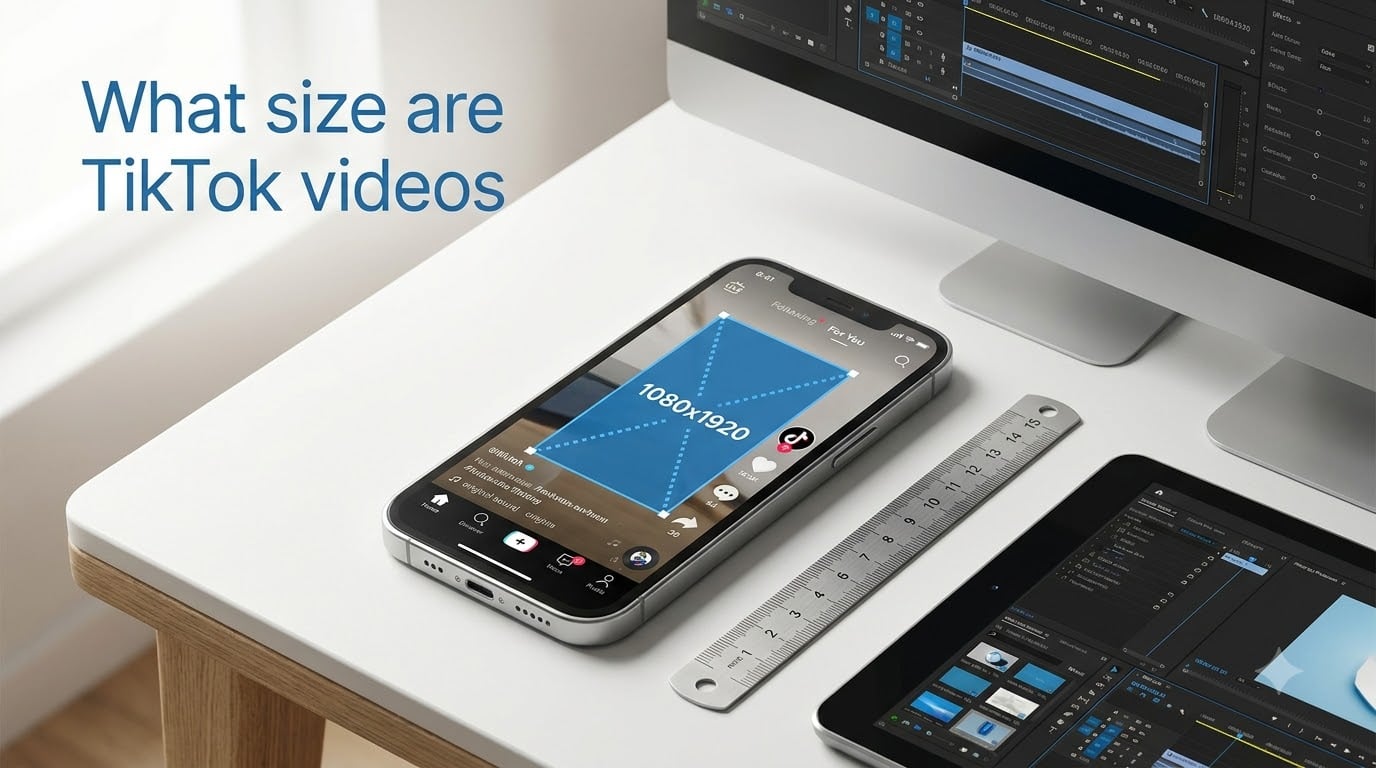
TikTok videos are best sized at 1080 x 1920 pixels with a 9:16 aspect ratio. This vertical, full-screen format fills a standard smartphone display without any black bars, cropping, or letterboxing, making it the recommended size for the For You feed in 2026.
If you have ever uploaded a video and noticed it looked stretched, cropped, or surrounded by black bars, you are not alone. Our team has tested dozens of export settings across phones and editing apps, and almost every quality issue traces back to one thing: the wrong size or aspect ratio.
Getting the dimensions right matters more than most creators realize. TikTok’s algorithm rewards content that fills the screen natively, keeps viewers watching longer, and looks sharp on every device. A video with incorrect specs can get cropped, downgraded in quality, or simply skipped by users scrolling past.
In this guide, I will break down every TikTok video size specification you need for 2026, including the exact pixel dimensions, aspect ratios, file formats, size limits, duration caps, safe zones, and ad specifications. Whether you are a solo creator, a social media manager, or running paid campaigns, you will have every number you need in one place.
Table of Contents
- Quick Specs: TikTok Video Size at a Glance
- TikTok Video Dimensions and Resolution
- TikTok Aspect Ratio Explained
- TikTok Video Length and Duration Limits
- File Formats and Codecs
- File Size Limits by Platform
- TikTok Safe Zones Explained
- TikTok Ad Video Specifications
- Common TikTok Video Size Mistakes and How to Fix Them
- TikTok Video Size Conversions (Pixels to cm, inches, mm)
- Optimization Tips for TikTok Video Quality
- FAQs
- Conclusion
Quick Specs: TikTok Video Size at a Glance
Here are the essential TikTok video specifications for 2026. Save these numbers and reference them every time you export a video.
Recommended dimensions: 1080 x 1920 pixels (width x height)
Aspect ratio: 9:16 (vertical portrait)
Minimum resolution: 720 x 1280 pixels (720p)
Maximum resolution: 1080 x 1920 pixels (1080p HD)
File formats: MP4, MOV, MPEG, AVI, FLV
Recommended codec: H.264 video, AAC audio
Frame rate: 30 fps (up to 60 fps supported)
Video duration: Minimum 3 seconds, maximum 600 seconds (10 minutes)
File size (iOS): Up to ~287.6 MB
File size (Android): Up to 72 MB
File size (Web upload): Up to 4 GB
Recommended bitrate: 6 to 8 Mbps for 1080p
These numbers come directly from TikTok’s official specifications and match what the top-ranking guides confirm for 2026. If you only remember three things, remember 1080 x 1920 pixels, 9:16 aspect ratio, and MP4 with H.264.
TikTok Video Dimensions and Resolution
The recommended TikTok video dimensions are 1080 pixels wide by 1920 pixels tall. This is a vertical rectangle designed to fill a phone screen from edge to edge in portrait orientation.
TikTok considers 1080 x 1920 the sweet spot because it matches the native resolution of most modern smartphones. When your video hits this exact pixel count, it displays at full HD quality without any compression artifacts or scaling issues.
The minimum resolution TikTok accepts is 720 x 1280 pixels, which is 720p HD. Videos below this threshold may look soft or pixelated, especially on larger phone screens. I recommend sticking with 1080p whenever possible.
Does TikTok Compress Videos Automatically?
Yes. TikTok compresses every uploaded video to 1080p regardless of your original resolution. If you upload a 4K video (3840 x 2160), TikTok will downscale it to 1080 x 1920 for playback. This means uploading anything above 1080p does not give you better quality on the platform, it just creates a larger file that takes longer to process.
This compression is also why some videos look blurry after uploading. TikTok re-encodes your file using its own compression algorithm, and if your source bitrate is too low or your codec is incompatible, the recompression can introduce artifacts. Exporting at 1080p with a solid bitrate (6 to 8 Mbps) gives the encoder clean data to work with.
Width and Height Breakdown
TikTok video width is 1080 pixels and height is 1920 pixels. Width is always the smaller number because the video is oriented vertically. If your editing software asks for resolution in a different order, make sure the taller dimension (1920) is the height.
A common mistake is exporting at 1920 x 1080 (landscape) instead of 1080 x 1920 (portrait). The numbers are the same, but the orientation is flipped. Always double-check that your project is set to portrait or vertical mode before exporting.
TikTok Aspect Ratio Explained
TikTok uses a 9:16 aspect ratio as its native format. This means for every 9 units of width, the video has 16 units of height. It is the vertical portrait ratio that matches how people hold their phones.
The 9:16 ratio is what fills the entire screen on the For You feed. When your video matches this ratio exactly, viewers see a full-screen, immersive experience with no empty space around the edges. This is the format TikTok was built for.
Are TikTok Videos 9:16 or 3:4?
TikTok videos use 9:16, not 3:4. The 3:4 ratio (which is 0.75 in decimal form) is squarer and shorter than 9:16 (which is 0.5625 in decimal form). If you see 3:4 mentioned, it is usually referring to older video formats or a misunderstanding. TikTok’s vertical format is firmly 9:16.
Does TikTok Support Other Aspect Ratios?
TikTok does accept 1:1 (square) and 16:9 (landscape) videos, but with significant drawbacks:
1:1 square (1080 x 1080): The video plays in the center of the screen with black bars above and below. It does not fill the feed, which can reduce immersion and watch time.
16:9 landscape (1920 x 1080): The video is letterboxed with thick black bars at the top and bottom. Viewers must rotate their phone or watch a small video in a vertical feed, which typically leads to lower engagement.
9:16 vertical (1080 x 1920): Full-screen, no black bars, maximum screen real estate. This is the format TikTok recommends and rewards.
Is TikTok 1920×1080?
No, TikTok is not 1920 x 1080. That is a landscape dimension. TikTok’s native size is 1080 x 1920, which is the portrait version of the same pixel count. The difference is orientation: 1080 wide by 1920 tall (portrait) fills the phone screen, while 1920 wide by 1080 tall (landscape) would appear sideways or letterboxed.
If you have been exporting at 1920 x 1080 and wondering why your videos have black bars, this is the reason. Swap the numbers to 1080 x 1920 and your videos will fill the screen.
TikTok Video Length and Duration Limits
TikTok allows videos ranging from 3 seconds minimum to 600 seconds maximum (10 minutes). The platform has expanded its duration limit several times over the years, moving from 15 seconds to 60 seconds, then 3 minutes, and now up to 10 minutes for uploads.
When recording inside the TikTok app, you can capture up to 10 minutes in a single session depending on your account settings. For uploaded videos, the 10-minute cap applies across all devices and upload methods.
Recommended Video Lengths by Content Type
While TikTok allows up to 10 minutes, shorter videos often perform better on the For You feed. Based on engagement data and content patterns, here are recommended lengths for different content styles:
Viral / trend content: 11 to 18 seconds. Short, punchy clips that loop well and encourage rewatches.
Storytelling / comedy: 21 to 34 seconds. Enough time to set up a premise and deliver a payoff.
Educational / tutorial: 30 to 60 seconds. Covers one focused tip or step without losing attention.
Deep-dive / detailed content: 1 to 3 minutes. For recipes, listicles, and multi-step guides that hold viewer interest.
Long-form uploads: Up to 10 minutes. Best for podcast clips, full interviews, or documentary-style content with a dedicated audience.
The key is matching your video length to audience expectations. A 7-minute video will not perform like a 15-second clip, and that is fine. Different content types thrive at different durations.
File Formats and Codecs
TikTok supports several video file formats, but MP4 and MOV are the two recommended options. Both produce clean, high-quality results that work well with TikTok’s compression system.
The container format is only half the equation. The codec inside the file matters just as much for quality:
Video codec: H.264 (also called AVC). This is the most widely supported codec and produces the best results on TikTok. H.265 (HEVC) can work but may cause compatibility issues on some devices.
Audio codec: AAC. This is the standard audio codec for web video and works perfectly with TikTok. Avoid MP3 or PCM audio if possible.
Frame rate: 30 fps is the default recommendation. TikTok supports up to 60 fps for smoother motion, which is great for gaming content and fast action.
Bitrate: 6 to 8 Mbps for 1080p video. Higher bitrates produce sharper images but create larger files. Anything below 5 Mbps may look soft after compression.
MP4 vs MOV: Which Is Better?
Both MP4 and MOV work well for TikTok. MP4 is the more popular choice because it produces smaller file sizes with the same quality, making uploads faster. MOV files tend to be larger but can preserve slightly more detail in high-motion footage. For most creators, MP4 with H.264 and AAC is the safe, reliable choice.
TikTok also technically accepts MPEG, AVI, and FLV files, but these formats are outdated and can cause compression issues. Stick with MP4 or MOV for the cleanest results.
File Size Limits by Platform
TikTok applies different file size limits depending on how you upload your video. The platform you use determines the maximum file size you can upload in one go.
iOS (iPhone / iPad): Up to approximately 287.6 MB per video. This generous limit means iPhone users rarely hit the cap, even with high-bitrate 1080p files.
Android: Up to 72 MB per video. Android has a tighter limit, which means you may need to compress longer or higher-bitrate videos before uploading.
Web browser (tiktok.com): Up to 4 GB per video. The web uploader has the most generous limit, making it the best option for long-form or high-quality content.
If your file exceeds the limit for your platform, TikTok will reject the upload or prompt you to select a different file. For Android users hitting the 72 MB cap, reducing your bitrate to 5 to 6 Mbps or trimming the video length usually solves the problem. For large files, the web uploader at tiktok.com is your best bet.
TikTok Safe Zones Explained
The TikTok safe zone is the area of your video where important content, text, and graphics will not be covered by the platform’s user interface elements. Understanding safe zones prevents your captions, calls to action, or key visuals from getting hidden behind buttons.
TikTok overlays several UI elements on top of your video while it plays. These include the like and comment buttons on the right side, the caption and username at the bottom, the sound information at the bottom, and the progress bar. If your text or graphics overlap with these elements, viewers will not be able to read them.
Safe Zone Percentages
The generally accepted safe zone boundaries for TikTok videos are:
Top 10% of the screen (approximately the top 192 pixels): Avoid placing critical text here. TikTok shows the “Following” and “For You” tabs and the search icon in this area.
Bottom 15% of the screen (approximately the bottom 288 pixels): This area contains the username, caption, sound name, and interaction buttons. Keep essential text above this zone.
Right edge (approximately 125 pixels from the right): The like, comment, share, and profile buttons sit here. Do not place important visuals or text in this strip.
Center 60% to 70% of the screen: This is your primary safe zone. Place all text overlays, titles, captions, and key visual elements in this central area for maximum visibility.
When I create TikTok content, I imagine a rectangle in the center of the screen that covers roughly the middle two-thirds. Anything inside that rectangle will be visible to every viewer regardless of their phone model. This is where titles, lower-thirds, and on-screen text should live.
Why Safe Zones Matter for Engagement
If viewers cannot read your text or see your key visual because it is hidden behind a button, they will scroll past. Safe zones are not just a design detail, they directly affect watch time and engagement. Videos with clearly placed text in the safe zone get more reads, more clicks on captions, and longer average watch times.
TikTok Ad Video Specifications
TikTok ads follow the same core dimensions as organic videos, but each ad type has specific requirements for duration, file size, and format. If you are running paid campaigns, these specs ensure your ads render correctly and pass TikTok’s review process.
In-Feed Ads
In-Feed ads appear in the For You feed as users scroll. They look like organic videos but include a call-to-action button and a “Sponsored” label.
Dimensions: 1080 x 1920 pixels (9:16 vertical recommended)
Supported ratios: 9:16, 1:1, 16:9
Duration: 5 to 60 seconds
File format: MP4, MOV, MPEG, AVI, FLV
File size: Up to 500 MB
Resolution: 720p minimum, 1080p recommended
TopView Ads
TopView ads are the first video users see when they open the TikTok app. They occupy premium attention real estate.
Dimensions: 1080 x 1920 pixels (9:16)
Duration: Up to 60 seconds
File format: MP4, MOV
File size: Up to 500 MB
Spark Ads
Spark Ads let you boost existing organic TikTok videos as paid promotions. Since they use organic content, they maintain the original video’s dimensions and format, provided they meet the 9:16 standard.
Dimensions: 1080 x 1920 pixels (9:16)
Duration: 5 to 600 seconds
File format: MP4, MOV
File size: Up to 500 MB
For all ad types, I recommend keeping videos under 30 seconds for best completion rates. The 9:16 vertical format consistently outperforms square and landscape ad placements on TikTok because it matches the organic viewing experience.
Common TikTok Video Size Mistakes and How to Fix Them
Even experienced creators run into size-related issues. Here are the most common problems and their solutions.
1. Black Bars on Top and Bottom
Cause: Your video was exported in 16:9 landscape or 1:1 square instead of 9:16 vertical. TikTok adds black bars to fill the remaining screen space.
Fix: Re-export your video at 1080 x 1920 pixels (9:16 aspect ratio). In your editing app, set the project to portrait or vertical orientation before exporting.
2. Video Looks Blurry or Pixelated
Cause: Low bitrate, low resolution (below 720p), or an incompatible codec. TikTok’s compression amplifies quality issues in the source file.
Fix: Export at 1080p with a bitrate between 6 and 8 Mbps using the H.264 codec. Avoid re-encoding a video multiple times, as each pass reduces quality.
3. Video Gets Cropped on the Sides
Cause: Your video is wider than the 9:16 ratio, so TikTok crops the left and right edges to fit the screen.
Fix: Set your export dimensions to exactly 1080 x 1920. If you have horizontal footage, add a blurred background fill behind the video to fill the vertical frame without cropping.
4. Upload Fails or Gets Rejected
Cause: File size exceeds the platform limit (72 MB on Android, 287.6 MB on iOS) or the file format is unsupported.
Fix: Check your file size and reduce the bitrate if needed. Switch to MP4 format if you are using an uncommon format. For large files, upload through the web browser at tiktok.com where the 4 GB limit applies.
TikTok Video Size Conversions (Pixels to cm, inches, mm)
Many creators search for TikTok video dimensions in physical units like centimeters or inches. Since pixels are screen-dependent, these conversions are approximate and assume a standard smartphone pixel density of around 400 PPI (pixels per inch).
Here is how 1080 x 1920 pixels translates to physical measurements at approximately 400 PPI:
1080 pixels wide = approximately 6.9 cm, 2.7 inches, or 68.6 mm
1920 pixels tall = approximately 12.2 cm, 4.8 inches, or 121.9 mm
Diagonal = approximately 13.9 cm or 5.5 inches (close to a standard phone display)
These numbers shift depending on the device. A phone with 500 PPI packs more pixels into the same physical space, so the same 1080 x 1920 video occupies fewer centimeters on that screen. The pixel dimensions are what matter for video production, physical units are only useful for understanding display size.
If you are designing graphics or overlays in a tool that uses physical units (like some print-design software), set your canvas to approximately 6.9 cm x 12.2 cm at 400 PPI to match the TikTok video frame proportionally.
Optimization Tips for TikTok Video Quality
Exporting at the right size is step one. These additional settings help your video look its best after TikTok’s compression process.
Export at 1080p, not higher. Since TikTok compresses everything to 1080p anyway, exporting at 4K just creates a massive file with no quality benefit. Match the target resolution directly.
Use H.264 video codec with AAC audio. This combination is the most compatible and produces the cleanest results after re-encoding. Avoid exotic codecs that TikTok’s system may struggle with.
Set bitrate to 6 to 8 Mbps for 1080p. This range provides enough data for sharp detail without creating unnecessarily large files. Anything below 5 Mbps risks softness after compression.
Keep frame rate at 30 fps for most content. Use 60 fps for gaming, sports, or fast-motion footage. Higher frame rates increase file size without benefit for most talking-head or lifestyle content.
Keep text and graphics in the safe zone. Place all on-screen text in the center 60% to 70% of the frame to avoid overlap with UI elements.
Avoid multiple re-encodes. Each time you export or compress a video, you lose quality. Edit, export once at final settings, and upload. Do not download and re-upload the same video.
Test on a real phone before publishing. What looks good on a desktop monitor may look different on a phone. Preview your video in portrait mode to catch cropping or text placement issues.
Use constant bitrate (CBR) over variable bitrate (VBR). CBR produces more predictable results that handle TikTok’s recompression more cleanly.
These settings give TikTok’s encoder clean, well-structured data to work with. The result is a sharper, cleaner video that holds up on the For You feed.
FAQs
Are TikTok videos 9:16 or 3:4?
TikTok videos use a 9:16 aspect ratio, not 3:4. The 9:16 ratio (1080 x 1920 pixels) is the vertical portrait format that fills a smartphone screen completely. The 3:4 ratio is shorter and squarer, and it is not TikTok’s native format.
What size is TikTok video 2026?
The recommended TikTok video size for 2026 is 1080 x 1920 pixels with a 9:16 aspect ratio. This 1080p HD vertical format remains the standard for the For You feed and works across all upload methods.
Is TikTok 1920×1080?
No, TikTok is 1080 x 1920, not 1920 x 1080. The difference is orientation. TikTok uses portrait (vertical) orientation where the width is 1080 and the height is 1920. The 1920 x 1080 dimension is landscape and would appear letterboxed with black bars on TikTok.
What sizing is necessary for TikTok videos?
TikTok videos need a minimum size of 720 x 1280 pixels (720p) and a recommended size of 1080 x 1920 pixels (1080p). The aspect ratio must be 9:16 for full-screen vertical playback. File format should be MP4 or MOV with H.264 video and AAC audio.
What is the maximum TikTok video length?
The maximum TikTok video length is 600 seconds (10 minutes) for uploaded videos. The minimum length is 3 seconds. When recording inside the TikTok app, the recording limit depends on your account settings but can go up to 10 minutes in a single session.
Can I upload 4K videos to TikTok?
You can upload 4K videos, but TikTok will automatically compress them down to 1080p for playback. This means uploading 4K does not improve the final quality viewers see. For faster uploads and identical results, export directly at 1080 x 1920 pixels.
What video format is best for TikTok?
MP4 is the best video format for TikTok. Use the H.264 codec for video and the AAC codec for audio. MOV also works well. Both formats are compatible with TikTok’s compression system and produce clean results at 1080p.
What is the recommended file size for TikTok videos?
TikTok file size limits vary by platform: approximately 287.6 MB on iOS, 72 MB on Android, and up to 4 GB on web upload. To stay within limits, keep your 1080p video bitrate between 6 and 8 Mbps, which typically produces files well under the Android cap for videos under 3 minutes.
Conclusion
Getting the TikTok video size right is the foundation of a professional-looking upload. The formula is simple: 1080 x 1920 pixels, 9:16 aspect ratio, MP4 with H.264 and AAC. Nail those specs and your videos will fill the screen, look sharp after compression, and perform the way the algorithm expects.
What size are TikTok videos in 2026? The answer has not changed: 1080 x 1920 at 9:16. But understanding why those numbers matter, how safe zones protect your text, and how file size limits vary by platform gives you a real edge over creators who just guess and upload.
Take a minute to review your current export settings against the specs in this guide. Fix your dimensions, check your bitrate, move your text into the safe zone, and test the result on your phone. The difference is immediate, and your viewers will notice.