
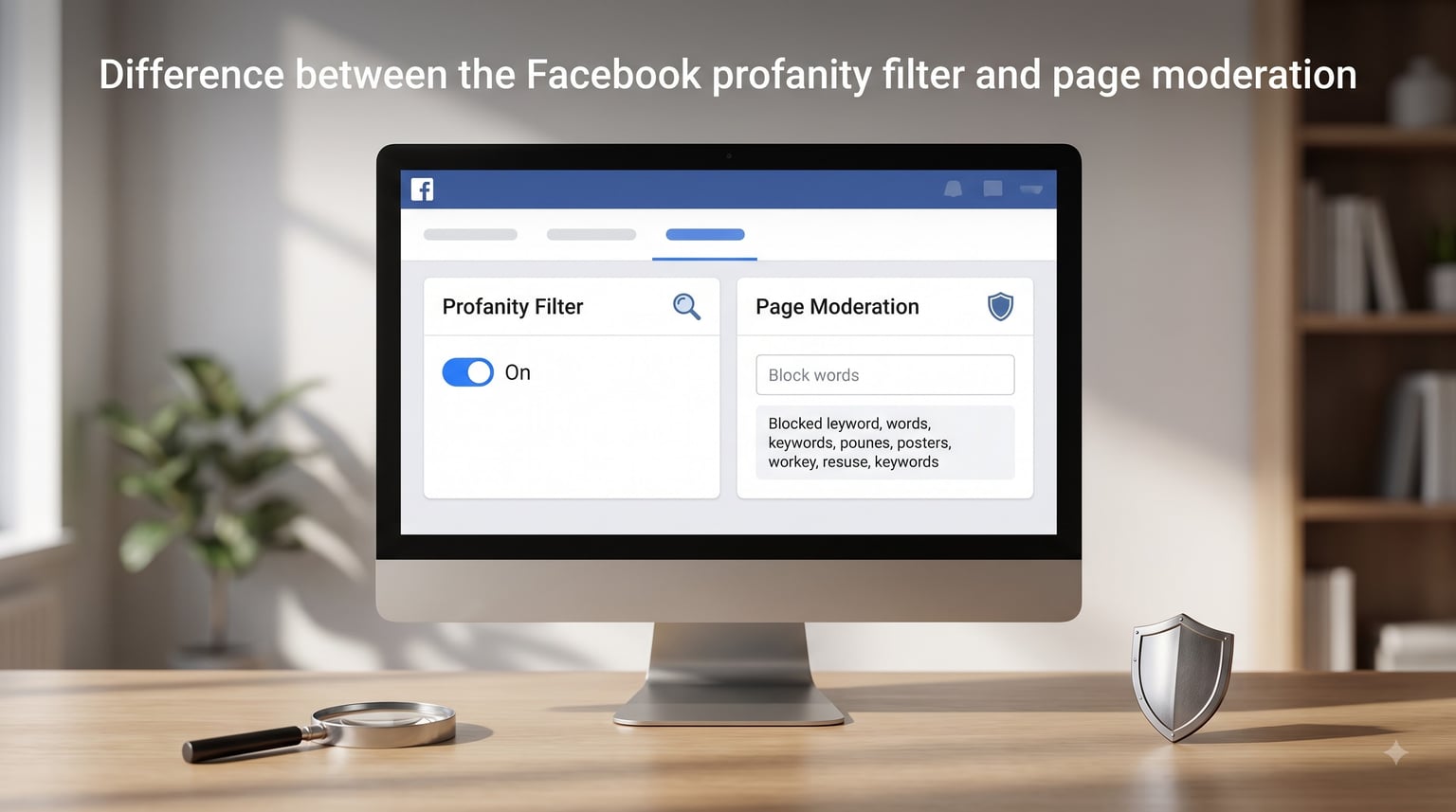
Managing comments on a Facebook business page can feel like a never-ending job. Between spam, trolls, and genuine customer feedback, your comment section can get messy fast. Two built-in tools help you keep things under control: the Facebook profanity filter and page moderation. The difference between the Facebook profanity filter and page moderation comes down to one key point. The profanity filter is a black-box, automatic system that hides offensive language based on what the community reports. Page moderation is a custom keyword blacklist where you decide exactly which words trigger hiding.
I have managed Facebook pages for multiple brands, and I can tell you that confusing these two tools leads to real problems. Use only the profanity filter and you lose control over what gets blocked. Use only page moderation and you spend hours chasing every new slang term. Our team has tested both features across different pages, and this guide breaks down exactly how each works, how they differ, and when to use each one so you can protect your brand reputation without alienating your audience.
Table of Contents
- What Is the Facebook Profanity Filter
- What Is Facebook Page Moderation
- Facebook Profanity Filter vs Page Moderation: Key Differences
- How to Turn On the Facebook Profanity Filter
- How to Set Up Page Moderation Keywords
- Hidden vs Deleted Comments: What Actually Happens
- When to Use Each Feature
- Limitations You Should Know About
- Tips for Combining Both Tools Effectively
- FAQs
- Conclusion
What Is the Facebook Profanity Filter
The Facebook profanity filter is an automatic content-hiding tool built into every Facebook page. When turned on, it scans comments on your page and hides ones that contain language Facebook considers offensive. The system relies on a list of the most commonly reported words and phrases that the Facebook community has flagged as profane.
Here is the part that frustrates most social media managers. Meta does not publish the actual word list. You cannot look up what the filter blocks, preview the words, or edit the list. It is a closed system, and you are trusting Facebook’s judgment about what counts as profanity.
The profanity filter offers two strength levels. Medium blocks a smaller set of the most offensive words. Strong casts a wider net and catches more borderline language. Neither setting gives you a preview of what is included. Our testing confirmed what many Reddit users report: the filter works reasonably well for standard English profanity but misses most internet slang, abbreviations, and creative misspellings.
This filter applies to comments on your page posts, visitor posts, and reviews. One common question from forum users is whether it also covers ad comments. Based on our experience and community reports, the profanity filter primarily affects page content rather than ad comments, which is an important distinction for advertisers.
What Is Facebook Page Moderation
Facebook page moderation is a customizable keyword blocking tool that gives you full control over which words trigger comment hiding. Instead of relying on Meta’s hidden list, you build your own. You type in specific words or phrases, and any comment containing those terms gets hidden automatically.
This is where page moderation shines compared to the profanity filter. You can target anything you want. Competitor names, product complaints, harassment patterns, or specific phrases relevant to your industry. If you run a health brand and want to block supplement spam, you can add those exact keywords. The profanity filter cannot do this because it only targets general offensive language.
Page moderation also detects variations. Facebook attempts to catch common misspellings and abbreviations of your blocked words. For example, if you block a specific swear word, the system tries to also catch it with asterisks, numbers replacing letters, or repeated characters. In practice, this variation detection is imperfect. Clever users who insert spaces or symbols can still slip through.
You can add up to 1,000 keywords to your page moderation list. Meta also supports CSV uploads, so you can bulk-import a large list of blocked words rather than typing them one by one. This is a significant advantage if you need comprehensive coverage across your community.
Facebook Profanity Filter vs Page Moderation: Key Differences
The core difference between the Facebook profanity filter and page moderation is control. The profanity filter is a hands-off, automatic system managed entirely by Meta. Page moderation is a hands-on, custom system managed entirely by you.
Here is a breakdown of how they compare across the categories that matter most:
Word list transparency: The profanity filter uses a hidden list you cannot view or edit. Page moderation uses a list you create, edit, and review at any time. You always know exactly what is being blocked.
Customization: The profanity filter offers two settings, medium and strong. Page moderation lets you add up to 1,000 specific keywords tailored to your brand and community.
Language support: The profanity filter works reliably for English profanity. Forum users report inconsistent results for French, Spanish, French Canadian, and other languages. Page moderation works in any language because you define the keywords yourself.
What gets blocked: The profanity filter targets general offensive language only. Page moderation can block competitor names, spam phrases, harassment terms, slang, or any word you choose.
Variation detection: Both tools attempt to catch misspellings and abbreviations. Neither is perfect, but page moderation gives you the ability to manually add variations as you discover them.
Setup effort: The profanity filter takes about 30 seconds to enable. Page moderation requires ongoing maintenance as you discover new terms to block.
Best for: The profanity filter works best as a baseline safety net for common profanity. Page moderation works best for brand-specific protection and targeted content control.
How to Turn On the Facebook Profanity Filter
Enabling the profanity filter takes just a few clicks. Follow these steps from your Facebook page settings.
Step 1: Go to your Facebook page and click Settings in the left-hand menu.
Step 2: Look for the Page Moderation or General section. The exact location depends on whether you are using the classic Pages experience or the new Pages experience.
Step 3: Find the Profanity Filter setting. You will see three options: Off, Medium, and Strong.
Step 4: Select Medium or Strong. Medium blocks the most commonly reported offensive words. Strong blocks a wider range of profanity.
Step 5: Save your changes. The filter takes effect immediately on new comments. Existing comments are not retroactively filtered.
One thing to keep in mind from our testing: if you are not sure which level to choose, start with Medium. Strong can sometimes hide comments that are borderline but not truly offensive, which may frustrate legitimate community members. You can always switch later.
To turn the profanity filter off, simply return to the same setting and select Off, then save. There is no separate process for disabling it on Messenger. The page profanity filter and the Messenger experience are separate systems.
How to Set Up Page Moderation Keywords
Setting up page moderation requires more effort but gives you far more control. Here is how to build your keyword blacklist.
Step 1: Open your Facebook page and navigate to Settings.
Step 2: Find the Page Moderation section, typically located near the profanity filter setting.
Step 3: You will see a text field where you can type words and phrases. Enter each term separated by commas. Facebook will hide comments containing any of these keywords.
Step 4: For larger lists, prepare a CSV file with your blocked words. Meta supports bulk uploads so you can import hundreds of terms at once instead of typing them individually.
Step 5: Include common variations and misspellings of each term. If you block a specific offensive word, also add versions with asterisks, numbers, spaces, or symbols. Facebook’s automatic variation detection helps but is not foolproof.
Step 6: Save your settings. New comments containing your blocked keywords will be hidden automatically. As with the profanity filter, existing comments are not affected retroactively.
Maintain your list over time. As new slang or harassment patterns emerge in your comments, add those terms. Review your list monthly to remove words that are no longer relevant and add ones you have discovered.
Hidden vs Deleted Comments: What Actually Happens
This is one of the most misunderstood aspects of Facebook content moderation. Neither the profanity filter nor page moderation deletes comments. Both tools hide them.
When a comment gets filtered, it becomes invisible to the general public but remains visible to the person who posted it and their friends. The commenter has no idea their comment was hidden. They still see it on the page and may even continue the conversation thinking it is visible to everyone.
Only page admins and moderators can see filtered comments. You can review them at any time and choose to unhide them if the filter made a mistake. This is different from deleting a comment, which permanently removes it and notifies the commenter that their content was removed.
The hidden approach has a real advantage for community management. It prevents trolls from realizing they are being moderated, which reduces escalation. However, it also means you should periodically review hidden comments to catch false positives where legitimate feedback was accidentally filtered.
When to Use Each Feature
Use the profanity filter as your baseline. It costs nothing to enable and catches common offensive language without any maintenance. Every Facebook business page should have it turned on at least at Medium strength.
Use page moderation when you need targeted control. If your page attracts specific types of spam, harassment, or off-topic comments, a custom keyword list handles those scenarios far better than the general profanity filter.
Here is a quick decision guide our team uses:
Use the profanity filter alone if your page has low comment volume and minimal moderation needs. It handles the basics with zero effort.
Use page moderation alone if you have very specific blocking needs and want full transparency over what is filtered. Just remember it will not catch general profanity unless you add those words yourself.
Use both together for the strongest protection. This is what we recommend for active business pages. The profanity filter catches general offensive language automatically, while page moderation handles brand-specific threats. This layered approach covers the most ground.
Limitations You Should Know About
Neither tool is perfect, and understanding the limitations helps you set realistic expectations.
The profanity filter is English-first. Multiple forum users, including social media professionals, report that it does not reliably catch profanity in Spanish, French, French Canadian, or other languages. If your audience comments in multiple languages, the filter will have significant blind spots.
Internet slang and creative evasion defeat both tools. Users who insert spaces, symbols, or numbers into words can bypass the filters. The variation detection helps but cannot anticipate every possible evasion tactic.
The profanity filter’s lack of transparency is a real pain point. You cannot preview what it blocks, audit its performance, or fine-tune its sensitivity beyond Medium and Strong. This makes it hard to explain moderation decisions to stakeholders or clients.
Neither tool handles contextual nuance. A word that is offensive in one context might be perfectly fine in another. The filters work on a keyword-matching basis with no understanding of meaning or intent. This means occasional false positives are inevitable.
Tips for Combining Both Tools Effectively
Start with both tools enabled. Turn on the profanity filter at Medium and build a page moderation list with your top 20 to 50 brand-specific blocked terms.
Monitor your hidden comments weekly for the first month. This helps you identify false positives and discover new terms to add to your keyword list. Patterns will emerge quickly.
Update your keyword list based on real incidents rather than hypothetical scenarios. When you see a comment that should have been blocked, add that term. This keeps your list relevant and manageable.
Consider supplementing both tools with Moderation Assist, Meta’s newer automation feature that can hide comments based on additional criteria beyond just keywords. For high-volume pages, third-party moderation tools offer more sophisticated filtering with better language support and transparency than the built-in options.
FAQs
What is the profanity filter in a Facebook page?
The profanity filter is a built-in automatic tool that hides comments containing offensive language. It uses a list of the most commonly reported words and phrases flagged by the Facebook community. You can set it to Off, Medium, or Strong, but you cannot view or edit the actual word list.
What does a Facebook page moderator do?
A Facebook page moderator manages comments, posts, and community interactions on a page. They use tools like the profanity filter, page moderation keyword lists, and manual moderation to hide or remove inappropriate content, respond to community members, and maintain a healthy comment environment.
How do I stop Facebook from censoring comments?
To stop Facebook from automatically hiding comments, go to your page Settings, find the Profanity Filter setting, and set it to Off. Also check the Page Moderation field and remove any keywords you no longer want blocked. Keep in mind that Facebook’s platform-level enforcement, separate from your page settings, may still hide certain content that violates community standards.
Does Facebook have a profanity filter?
Yes. Every Facebook page includes a built-in profanity filter that can be set to Off, Medium, or Strong. Medium blocks the most commonly reported offensive words, while Strong catches a wider range of profanity. The feature is free and can be enabled from your page Settings.
Does the Facebook profanity filter work in other languages?
The profanity filter works most reliably for English. Community reports and our testing indicate inconsistent or no detection for Spanish, French, French Canadian, and other languages. For multilingual pages, use the page moderation keyword list to manually add blocked terms in the languages your audience uses.
How to moderate a Facebook page?
To moderate a Facebook page, enable the profanity filter, build a custom keyword list in the Page Moderation settings, review hidden comments regularly, and use Moderation Assist for additional automation. You can also manually hide or delete individual comments, turn off commenting on specific posts, and assign moderator roles to team members for shared management.
What are Facebook trigger words?
Facebook trigger words are terms you add to your page moderation keyword list that automatically hide comments containing those words. Unlike the profanity filter, which uses a hidden Meta-managed list, trigger words are completely custom and defined by you. They can include anything from offensive terms to competitor names or spam phrases.
Conclusion
The difference between the Facebook profanity filter and page moderation comes down to automation versus control. The profanity filter is a set-and-forget baseline that hides general offensive language using Meta’s hidden word list. Page moderation is a customizable keyword blacklist that lets you define exactly what gets blocked on your page.
For most business pages, the best approach is to use both. Enable the profanity filter at Medium for automatic baseline protection. Then build a page moderation keyword list that targets the specific threats your community faces, from spam to harassment to off-topic content. Review hidden comments regularly, update your keyword list based on real incidents, and consider Moderation Assist or third-party tools for high-volume pages.
Neither tool is perfect. The profanity filter struggles with non-English content and internet slang. Page moderation requires ongoing maintenance and cannot anticipate every evasion tactic. But together, they provide a solid first line of defense for protecting your brand reputation and keeping your community healthy. Start with both enabled, monitor your results, and adjust as you learn what your audience needs.